👋 Introduction
When learning SAP ABAP, one of the most important things we need to understand is how an ABAP program communicates with a database.
For example, imagine we are developing an Employee Management System. We have an employee table containing employee IDs, names, departments, and salaries.
But how can we retrieve employee details? How can we add new records, update salaries, or delete records?
This is where Open SQL comes into the picture! 🚀
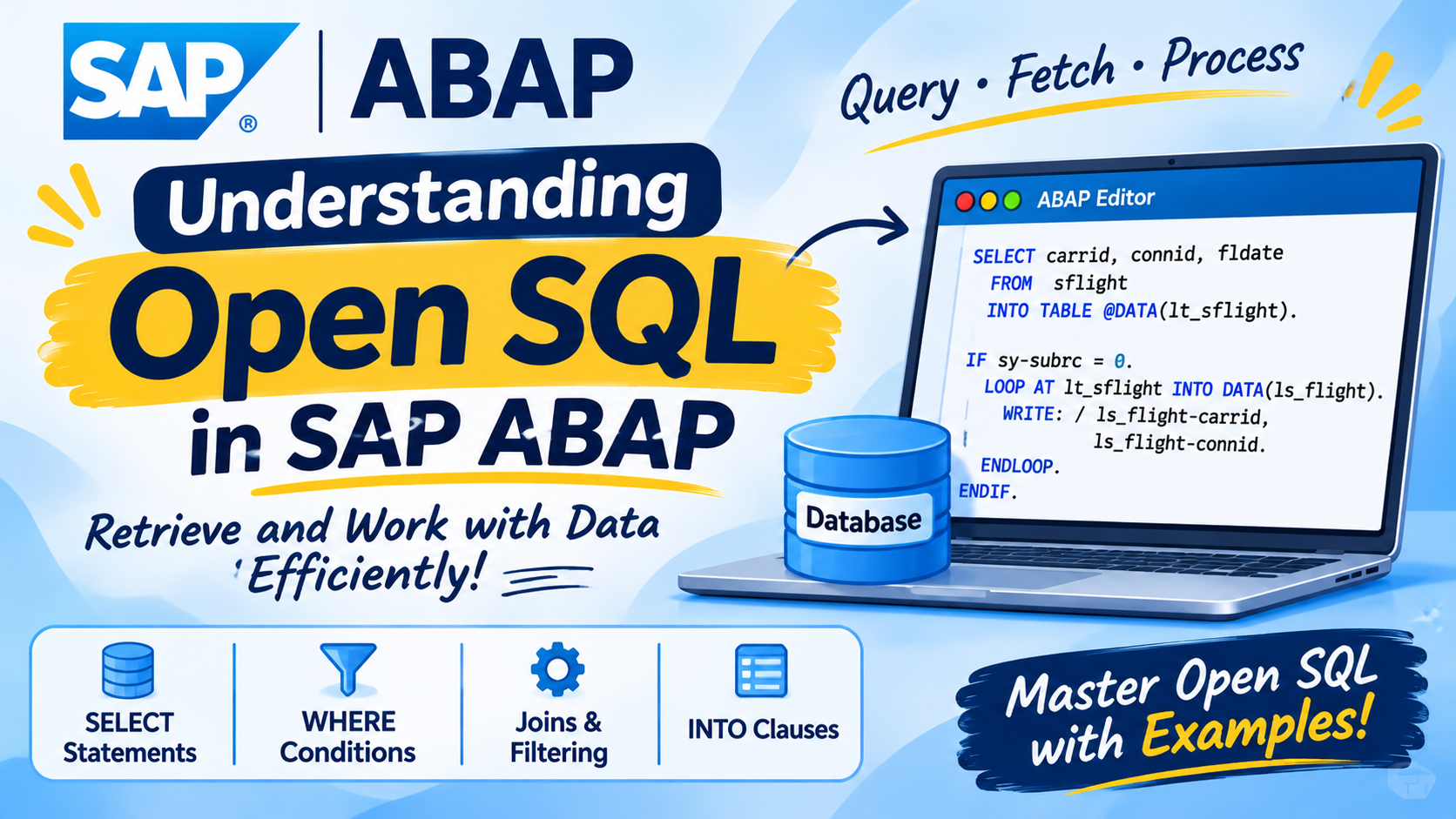
Open SQL allows ABAP developers to communicate with database tables using SQL statements directly within ABAP programs.
In this blog, we'll understand Open SQL, explore its important statements, and practise some examples using modern ABAP syntax.
Let's get started! 💻
1. 🤔 What is Open SQL?
Open SQL is a set of SQL statements provided by SAP ABAP to read and modify data in database tables and other supported data sources.
It acts as an interface between an ABAP program and the database.
The interesting thing is that developers can use Open SQL without writing database-specific SQL code. The SAP database interface handles the conversion according to the underlying database.
Open SQL is also referred to as ABAP SQL in current SAP documentation.
Why do we use Open SQL?
Some important uses include:
- 📥 Retrieving records from database tables.
- ➕ Inserting new records.
- ✏️ Updating existing records.
- 🗑️ Deleting records.
- 🔗 Combining data from multiple tables.
- 📊 Fetching data for reports and ALV displays.
In simple words, Open SQL helps our ABAP programs work with database data.
2. 🧩 Important Open SQL Statements
Let's understand the most commonly used statements.
| Statement | Purpose |
|---|---|
| SELECT | Reads data from database tables |
| INSERT | Adds new records |
| UPDATE | Modifies existing records |
| MODIFY | Inserts or updates records |
| DELETE | Removes records |
We'll explore each one with examples.
3. 📥 SELECT Statement – Reading Data
The SELECT statement is used to retrieve data from database tables.
Suppose we have a custom database table called ZEMPLOYEE with these fields:
| EMP_ID | EMP_NAME | DEPT_ID | SALARY |
|---|---|---|---|
| 101 | Rahul | 10 | 45000 |
| 102 | Priya | 20 | 50000 |
| 103 | Aman | 10 | 40000 |
We want to retrieve employee details from this table.
A. Selecting All Fields
SELECT FROM zemployee
  FIELDS *
  INTO TABLE @DATA(lt_employee).
🔍 Understanding the code:
SELECTstarts the database query.FROM zemployeespecifies the database table.FIELDS *selects all available fields.INTO TABLEstores the retrieved records in an Internal Table.@DATA(lt_employee)declares the Internal Table inline.
💡 Tip: Although FIELDS * is useful for learning, selecting only the required fields is generally better in real projects.
B. Selecting Specific Fields
What if we only need the employee ID and employee name?
SELECT FROM zemployee
  FIELDS emp_id, emp_name
  INTO TABLE @DATA(lt_employee).
This retrieves only the two specified fields.
It can help avoid fetching unnecessary data.
C. Using WHERE Condition
Suppose we only want employees belonging to department 10.
SELECT FROM zemployee
  FIELDS emp_id, emp_name, dept_id
  WHERE dept_id = 10
  INTO TABLE @DATA(lt_employee).
The WHERE condition filters the records.
Expected Output:
| EMP_ID | EMP_NAME | DEPT_ID |
|---|---|---|
| 101 | Rahul | 10 |
| 103 | Aman | 10 |
D. Using SELECT SINGLE
Sometimes we only need one particular record.
For example, we want to retrieve the employee whose ID is 101.
DATA lv_emp_id TYPE zemployee-emp_id VALUE 101.

SELECT SINGLE FROM zemployee
  FIELDS emp_id, emp_name, dept_id, salary
  WHERE emp_id = @lv_emp_id
  INTO @DATA(ls_employee).
Here:
SELECT SINGLEretrieves one matching record.@lv_emp_idpasses an ABAP variable into the SQL statement.ls_employeestores the retrieved record.
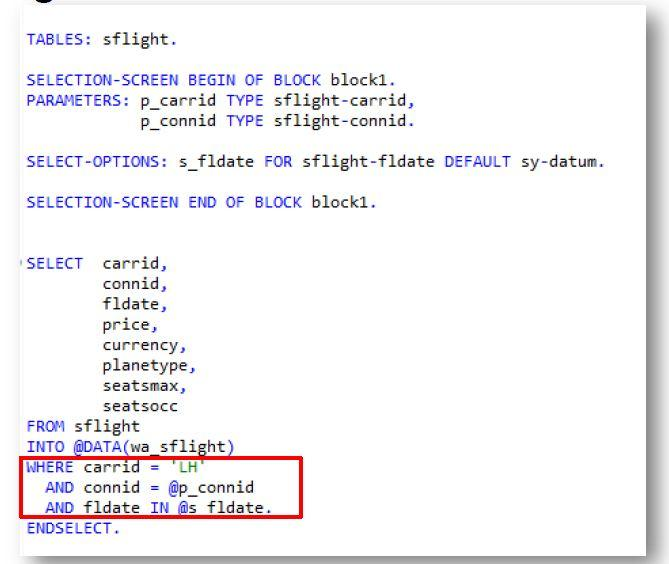
⚠️ Use SELECT SINGLE with a condition that identifies the intended record uniquely, preferably using the complete key.
4. 🔑 What is the @ Symbol in Open SQL?
You may have noticed the @ symbol in the previous examples.
This is an important feature of modern ABAP SQL syntax.
The @ symbol is used to identify an ABAP data object, such as a variable, inside an Open SQL statement.
These are called Host Variables.
Example:
DATA lv_dept_id TYPE zemployee-dept_id VALUE 10.

SELECT FROM zemployee
  FIELDS emp_id, emp_name
  WHERE dept_id = @lv_dept_id
  INTO TABLE @DATA(lt_employee).
Here:
lv_dept_idis an ABAP variable.@lv_dept_idpasses its value to the SQL statement.
Remember: In modern ABAP SQL syntax, host variables are prefixed with @.
This syntax was introduced with the newer Open SQL enhancements in ABAP 7.40. Exact syntax availability depends on the SAP release and syntax level.
5. ➕ INSERT Statement – Adding Records
The INSERT statement is used to add new records to a database table.
Suppose we want to add a new employee.
DATA ls_employee TYPE zemployee.

ls_employee-emp_id   = 104.
ls_employee-emp_name = 'Neha'.
ls_employee-dept_id  = 20.
ls_employee-salary   = 55000.

INSERT zemployee FROM @ls_employee.

IF sy-subrc = 0.
  WRITE: / 'Employee inserted successfully!'.
ELSE.
  WRITE: / 'Record could not be inserted.'.
ENDIF.
🔍 Understanding the code:
DATAdeclares a Work Area.- We assign values to the employee fields.
INSERTadds the record to the database table.sy-subrcchecks the result of the operation.
💡 If the insert fails, one possible reason is that a record with the same primary key already exists.
6. ✏️ UPDATE Statement – Modifying Records
What if an employee's salary changes?
We can use the UPDATE statement.
DATA lv_emp_id TYPE zemployee-emp_id VALUE 101.
DATA lv_new_salary TYPE zemployee-salary VALUE 60000.

UPDATE zemployee
  SET salary = @lv_new_salary
  WHERE emp_id = @lv_emp_id.

IF sy-subrc = 0.
  WRITE: / 'Employee salary updated!'.
ELSE.
  WRITE: / 'No matching record found or no update performed.'.
ENDIF.
Here:
UPDATEmodifies an existing database record.SETspecifies the field to be changed.WHEREidentifies the record to update.
⚠️ Always use an appropriate WHERE condition. Without one, an UPDATE can affect every row in the table.
7. 🗑️ DELETE Statement – Removing Records
The DELETE statement is used to remove records from a database table.
For example, suppose we want to delete employee ID 103.
DATA lv_emp_id TYPE zemployee-emp_id VALUE 103.

DELETE FROM zemployee
  WHERE emp_id = @lv_emp_id.

IF sy-subrc = 0.
  WRITE: / 'Employee record deleted!'.
ELSE.
  WRITE: / 'No matching record found.'.
ENDIF.
The WHERE condition ensures that only the matching record is targeted.
⚠️ Be careful when using DELETE. Without a WHERE condition, all records in the table can be deleted.
8. 🔗 JOIN in Open SQL
In real-world applications, data is often stored in multiple related tables.
For example, consider:
ZEMPLOYEE– Employee details.ZDEPARTMENT– Department details.
Instead of retrieving data separately from both tables, we can use a JOIN.
Example: INNER JOIN
SELECT FROM zemployee AS e
  INNER JOIN zdepartment AS d
    ON e~dept_id = d~dept_id
  FIELDS e~emp_id,
         e~emp_name,
         d~dept_name
  INTO TABLE @DATA(lt_result).
🔍 Understanding the code:
INNER JOINcombines matching records from both tables.AS eandAS dcreate aliases for the tables.ONspecifies the condition used to match records.FIELDSspecifies which columns should be retrieved.INTO TABLEstores the result in an Internal Table.
Example Output
| EMP_ID | EMP_NAME | DEPT_NAME |
|---|---|---|
| 101 | Rahul | IT |
| 102 | Priya | HR |
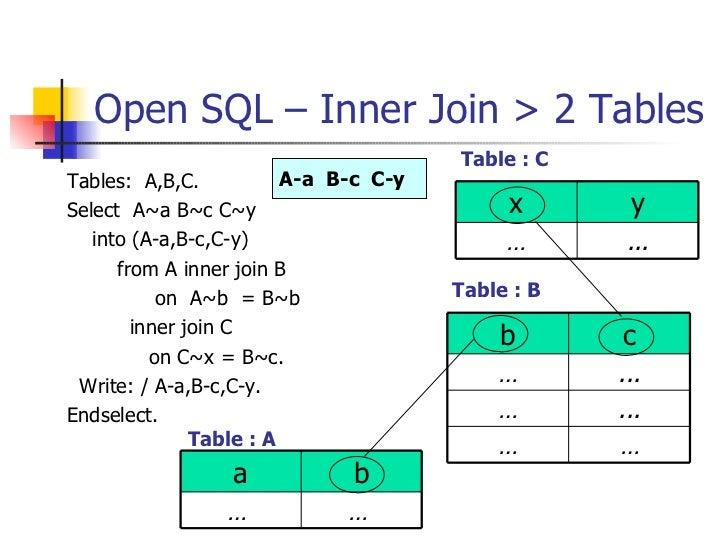
This is useful when we need information from multiple related tables.
9. 📊 What is SY-SUBRC?
You may have noticed sy-subrc in our examples.
SY-SUBRC is a system field in SAP ABAP that indicates the result of certain ABAP statements.
For example:
| SY-SUBRC | Meaning |
|---|---|
| 0 | Operation successful or matching result found |
| 4 | No matching record found for common SELECT cases |
The exact return codes depend on the statement being executed.
We commonly use sy-subrc with SELECT, INSERT, UPDATE, and DELETE to check the result of an operation.
10. ⚡ Best Practices for Using Open SQL
Here are some useful practices to follow while writing Open SQL statements:
- ✅ Select only the fields you actually need.
- ✅ Use appropriate WHERE conditions.
- ✅ Use modern ABAP SQL syntax with
@host variables where supported. - ✅ Use JOINs when data is required from related tables.
- ✅ Check
sy-subrcafter database operations. - ✅ Avoid unnecessary database calls inside loops.
- ✅ Be careful while using UPDATE and DELETE statements.
These practices help make ABAP programs easier to maintain and more efficient.
11. 🧪 Practical Example: Using Open SQL in My SAP ABAP Project
While practising SAP ABAP, I worked on a Library Management System.
I created custom database tables such as:
ZLBBOOKSZLBISSUE
I used Open SQL concepts to work with data stored in these tables.
For example, we can retrieve book details using a SELECT statement:
SELECT FROM zlbbooks
  FIELDS *
  INTO TABLE @DATA(lt_books).
The retrieved records can then be processed using Internal Tables and displayed through an ABAP report or ALV.
This helped me understand how DDIC objects, Open SQL, Internal Tables, and reports work together in an ABAP application.
🎯 Conclusion
Open SQL is one of the most important concepts in SAP ABAP development because it allows programs to communicate with database tables.
Understanding SELECT, INSERT, UPDATE, DELETE, and JOIN statements gives us a strong foundation for developing database-driven ABAP applications.
When I started practising Open SQL, I realised how important it is to understand not only how to retrieve data but also how to filter, combine, and manage it properly.
If you are learning SAP ABAP, try these examples using your own custom tables and practise each statement step by step.
Keep learning, keep practising, and keep building! 💻🚀
💬 Let's Connect!
Are you also learning SAP ABAP?
Which Open SQL statement do you find most useful? Share your thoughts and learning experience in the comments!
In the next blog, we'll explore Classical Reports and Selection Screens in SAP ABAP and learn how to build interactive reports.
Thanks for reading! 😊
#SAP #SAPABAP #OpenSQL #ABAPProgramming #ProgrammingForBeginners
About the author
- Aspiring SAP ABAP Developer with knowledge of ABAP programming, SAP Data Dictionary, Open SQL, Classical Reports, and Smart Forms, seeking an entry-level opportunity to apply technical skills in developing efficient SAP solutions while continuously learning and growing professionally
Comments
Join the discussionNo comments yet. Be the first to comment.